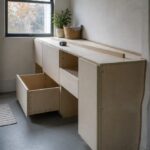
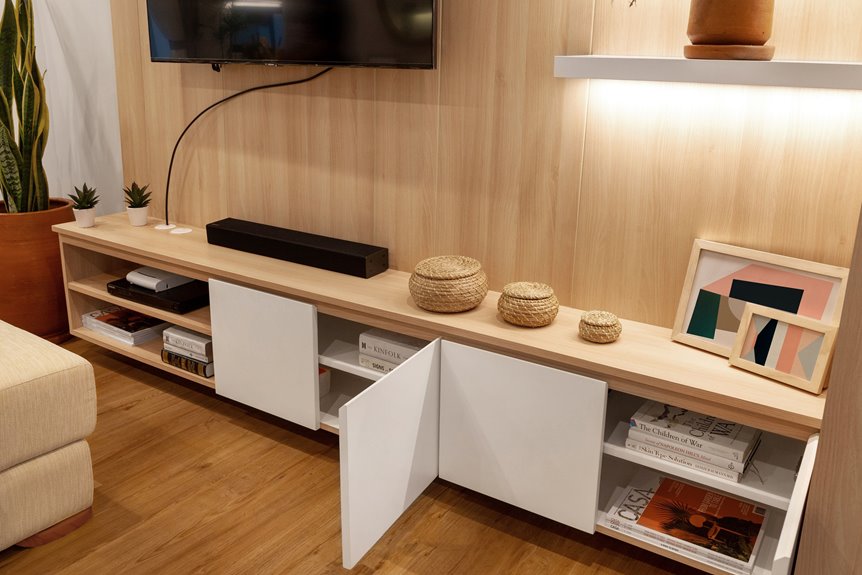
I’ve learned that consoles stretch longer and lower with generous storage behind doors, while stands stay compact and open for easy access. Brands swap these terms freely, so I ignore labels and measure instead.
Your furniture should extend past your TV’s width for balance, keep the screen center at 42–46 inches high, and handle your gear’s weight with room to breathe. Selecting the right piece depends on measuring your space and equipment needs rather than relying on manufacturer terminology.
What Separates a TV Console From a TV Stand?
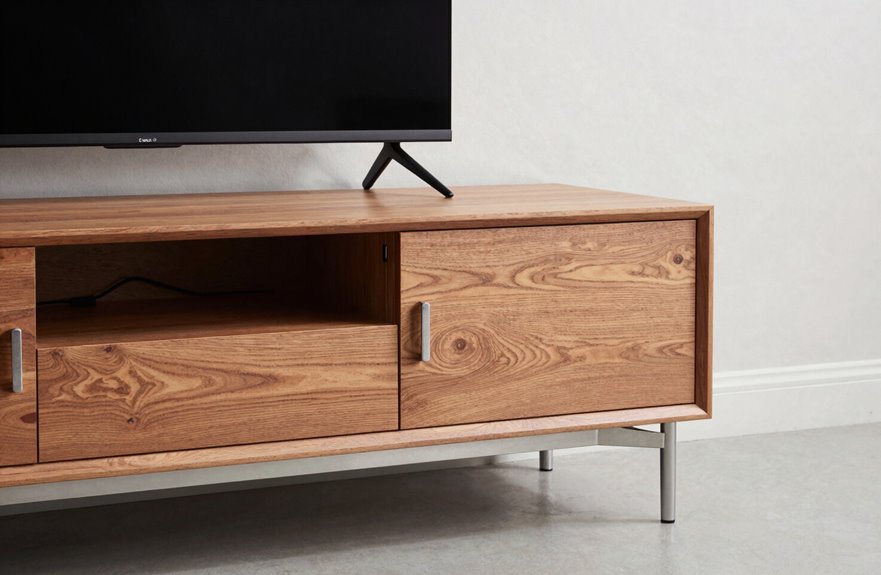
How exactly do you tell a TV console from a TV stand when they both seem to do the same job? The confusion is real, and here’s what distinguishes them.
The confusion is real: consoles stretch low and long for style, while stands stay compact and practical for everyday use.
A console stretches longer and lower, its top surface width deliberately generous, often dwarfing your TV to create room for lamps, books, that ceramic bowl you impulse-bought. Storage hides behind cohesive doors and drawers, giving you that clean, uninterrupted front most people want for their living rooms.
TV stands are the practical sibling. Shorter and more compact, they frequently feature open shelves for easy device access. Their design style embraces variety through mixed materials, asymmetrical arrangements, and visible cable management.
There’s no industry standard enforcing these terms. You’ll see “consoles” with open shelving and “stands” disguised as low cabinets. Measure your space, assess your clutter tolerance, and choose what fits your life.

【Fluted Farmhouse Charm】Elevate your living room with this stylish entertainment center featuring a striking fluted door design that blends farmhouse warmth with modern aesthetics. This TV stand adds texture, character, and timeless appeal to your space, making it a perfect match for vintage, minimalist, or contemporary home styles.

Grand Stage for Entertainment: This large fluted TV stand provides a commanding and stylish base for TVs up to 80 inches; More than just a stand, it's the foundation for unforgettable movie nights and immersive gaming sessions

【Fluted Farmhouse Charm】Elevate your living room with this stylish entertainment center featuring a striking fluted door design that blends farmhouse warmth with modern aesthetics. This TV stand adds texture, character, and timeless appeal to your space, making it a perfect match for vintage, minimalist, or contemporary home styles.
Which One Fits Your Room: TV Console or TV Stand?
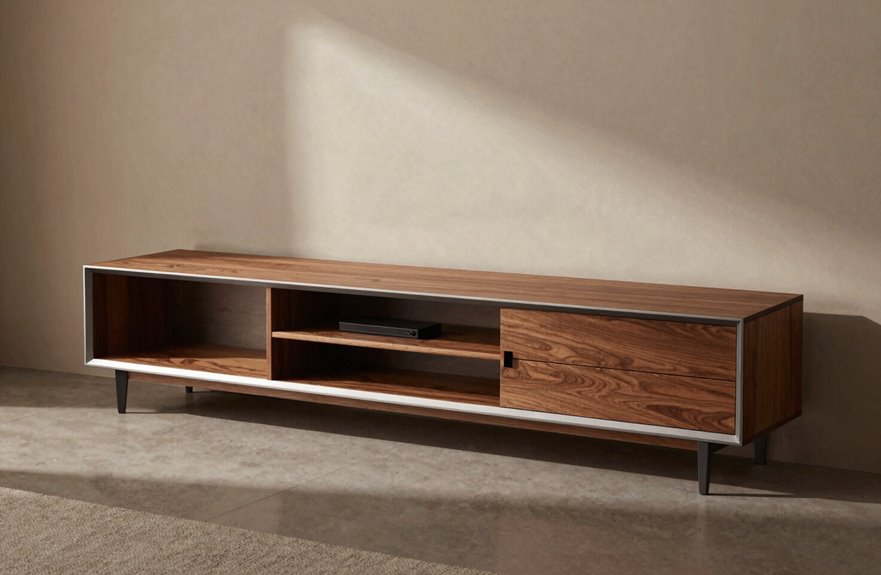
Where exactly do you start when your wall is staring back at you, empty and waiting? I always grab my measuring tape first. Your TV size dictates everything. A 55-inch screen needs furniture that extends past its edges, creating that balanced, intentional look most rooms benefit from.
If your room width is generous, a longer console welcomes storage capacity for books, baskets, and decorative items. When square footage shrinks, compact stands fit into tight corners beautifully without crowding your space.
Don’t forget ventilation. Enclosed cabinets look sleek, but your devices need airflow to function properly. Check weight limits too. Ignoring this detail causes wobbling electronics that disrupt the room’s appearance. Measure twice, choose once.

Large TV Stand with Storage Space: This 59” TV cabinet has a spacious tabletop to easily accommodate TV up to 65 inches. Product size: 59"×15.5"×17.5" (L×W×H). With 4 open storage shelves on the front, this TV stand is large enough to help you store TV boxes, remote controls, speakers and more. Besides, 4 extra shelves on the side offer additional space for storing.

Rustic Charm for Your Living Space: Designed for TVs up to 65 inches, our farmhouse TV stand features a stunning black finish; Its timeless retro elegance creates a warm, stylish focal point for cozy movie nights or lively game days

Spacious Table Top: Our premium TV stand features a wide table top, which is suitable for TVs up to 65”. You can dive into immersive entertainment with a larger screen! And the easy-to-clean surface simplifies maintenance tasks.
Storage, Cables, and Setup Compared
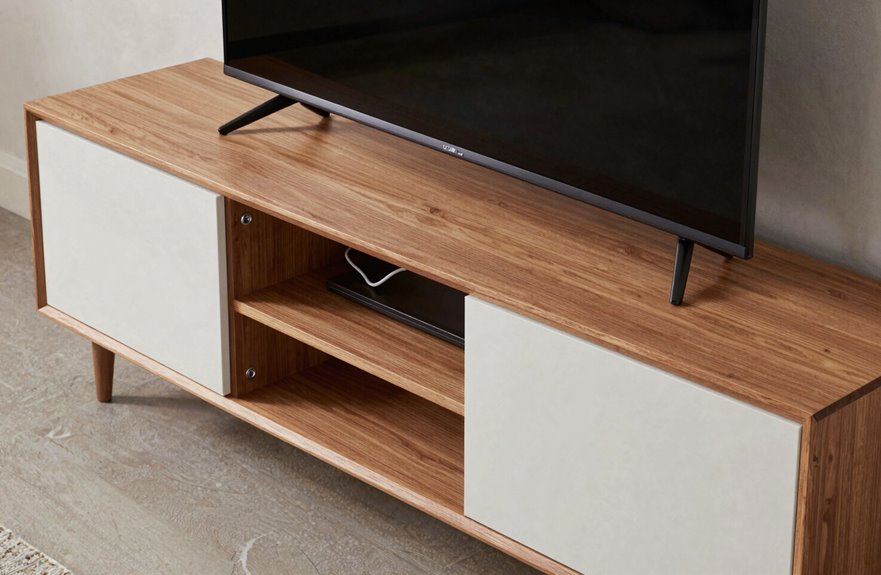
Storage layout determines your daily experience with a TV stand or console. Open shelves let you grab your gaming controller in seconds, but require regular dusting. Hidden drawers keep living rooms pristine, though finding the remote becomes more difficult.
Cable management presents the biggest challenge. Some units feature neat channels and cutouts that function properly, while others leave tangled cables behind the TV. Check for rear access panels and ventilation gaps before purchasing.
When planning setup, measure first. The top surface should be wider than your TV by at least a few inches. Account for power outlet proximity; forgetting this step turns a simple Saturday project into an extension cord situation that complicates installation.

Dog Proof Design-Pet-Friendly & Pet-Safe: Fecuria litter box enclosure that outsmarts curious dogs! Built with a secure, enclosed structure and pet-safe materials, Our litter box cabinet is cats' private bathroom. No more scattered litter or stressed kitties—this dog-proof design lets your feline feel calm and protected, while stoping dogs eating cat litter. Perfect for multi-pet households craving harmony!

【Safety Woven with Timeless Grace】Featuring integrated 360° full rounded edges, this media console abandons rigid traditional styling and adds gentle warmth to every detail. The smooth curved corners ensure superior home safety for elders and children, while effortlessly matching modern, minimalist and wabi-sabi interior styles. It harmonizes practicality with refined aesthetics, turning ordinary home furniture into a tasteful decorative highlight

Screen and VESA Compatibility: This versatile mount securely accommodates displays from 32" to 55” and fits VESA mounting patterns 75x75mm to 600x600mm. (Please Note: Lift stand and TV are not included, and this case is designed for use with our MOUNT-E-UP65A only)
Storage Layout Options
The storage layout of your entertainment unit significantly impacts your daily experience. Poor cable management and inadequate ventilation can cause equipment failure.
When choosing between open and closed storage, consider what you’re storing. Place devices that need airflow, such as routers and soundbars, on open shelves. Store remotes and DVDs behind cabinet doors to reduce visual clutter. Key features to prioritize include adjustable shelves that accommodate different receiver heights and ventilation gaps to prevent overheating. Inadequate airflow can damage gaming consoles and other electronics.
Cable management depends on layout. Select units with back panels or channels that organize cords and prevent tangled configurations.
Cable Management Systems
How do you keep cables from turning your living room into a digital spaghetti bowl? Cable management makes or breaks a clean setup.
TV consoles typically hide everything behind a closed back panel with grommets and routing channels, keeping power and signal cables separate and out of sight. The satisfaction comes from the organized result.
TV stands with open shelving require more effort, but you get flexibility. Thread wires through pass-through holes, then use Velcro ties to bundle them where they’re least visible, usually along legs or rear supports.
One critical mistake to avoid: ignoring weight capacity. Heavy gear plus poor ventilation near cable bundles can overheat your receiver. Measure cable lengths against top panel openings before buying, ensuring nothing stretches, pinches, or bunches. This prevents equipment damage and maintains proper airflow.
Setup Flexibility Compared
Cable management matters, but it’s only part of the picture. Consider your ideal setup: everything in its place, breathing room for your tech, and space that feels like yours.
TV consoles offer more storage overall: drawers for remotes, cabinets for clutter, and open shelving for your soundbar or that vintage gaming console you’ve been meaning to display. The longer surface lets you balance decor on either side of the screen.
TV stands sometimes win on cable management with built-in pathways, though consoles are catching up. Before buying, check for adjustable shelf heights, ventilation gaps above and below devices, and whether you can reach cables without contorting yourself.
Your gear needs proper ventilation and accessible connections to function reliably. A setup that accommodates these requirements will perform better and last longer.
Pick Style or Function: Not Both?
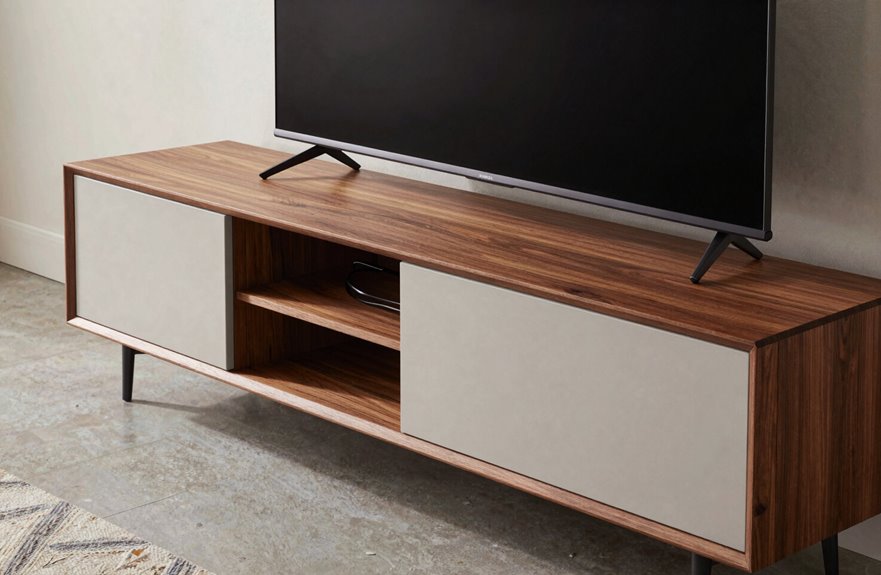
When I first started shopping for my living room, I assumed I’d have to pick sides: either something gorgeous that barely held my cable box, or a clunky metal frame that worked perfectly but looked like an afterthought. The real choice isn’t so dramatic. It’s about balancing your wall width, your storage needs, and how you actually live.
A console gives you that long, low silhouette with integrated storage, perfect for hiding remotes and displaying candles. A stand keeps things simpler, lighter, cheaper. Neither is wrong; they’re just different tools.
Consoles hide the clutter; stands keep it simple. Choose the tool that fits how you actually live.
What matters most:
- Measure your wall width before falling in love with any piece
- Count your devices. Consoles swallow more clutter
- Consider your TV width against the furniture’s span
- Decide if floor space or surface area wins in your room

【TV Stand for 55 inch TV】This TV stand comes with 3-Tier Storage Shelves, measuring 47.2 inches in length, is perfectly designed for up to 55 inches TV. Designed with natural wood grain and metal frames, this TV console can match your furniture of different styles.

【Rolling TV stand for 23-65 inch TVS】This Mobile TV stand fits 23" 32",40",42",43",50",55",60",65" flat-panel LCD/LED TVs, with VESA pattern sizes from 100x100mm, 100x200mm, 200x100mm, 200x200mm, 200x300mm, 300x200mm, 300x300mm, 400x200mm, 400x300mm, 400x400mm, Please verify the VESA pattern of your TV before purchase.

WIDE MEDIA STORAGE: Need one low-profile surface for TV gear or office equipment? This wide tv stand features a 3-tier open shelf layout, open back design, and rectangular frame, giving living rooms, bedrooms, or home offices flexible media and printer storage
Weight Limits and Safety Features That Matter
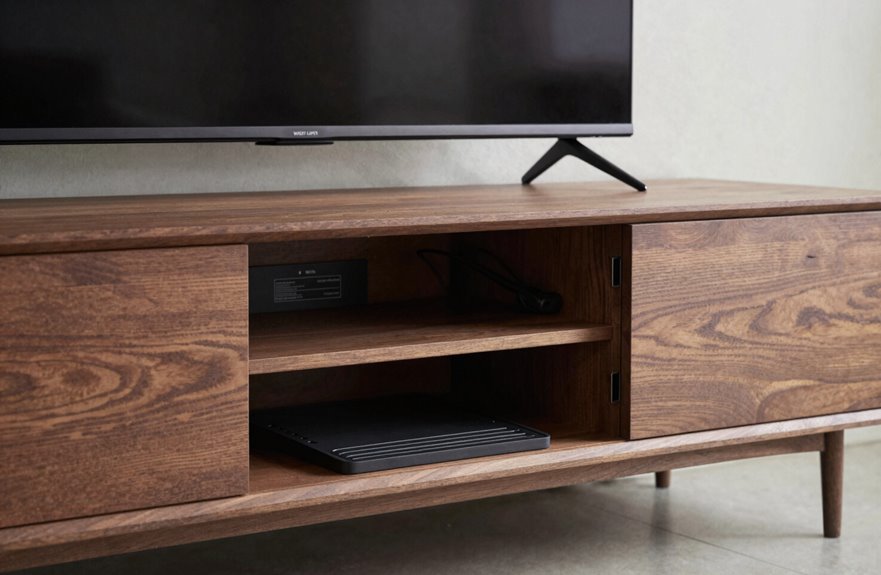
I learned the hard way that a beautiful stand means nothing if your TV ends up on the floor. That’s why I always check weight capacity first. Most quality stands handle 100 to 300+ pounds, but particleboard won’t match solid wood or metal.
Your base design matters significantly. Reinforced frames distribute weight evenly, preventing wobbling when you bump the corner. Safety features are essential for stability.
Anti-tip straps aren’t just for earthquake zones. If you’ve got kids, pets, or tall speakers, wall-anchoring brackets keep everything upright during chaotic moments. Also verify surface dimensions so your TV’s footprint sits comfortably within the rated area, not teetering on edges. Proper anchoring protects your family and property.

Universal Router Cooling Fan for Multi Electronic Devices | Efficient Heat Dissipation Media Box Cooling Fan: This 120mm USB cooling fan works perfectly as a tv box cooler, modem ventilation fan, game console cooling stand, amplifier heat sink fan and receiver cooler. It rapidly draws trapped hot air away from your media box, Wi-Fi router, cable modem, gaming set-top box, stereo amplifier and media player. This quiet electronic cooling fan effectively stops overheating, lagging, random crashes and hardware aging, greatly extending the service life of all your small electronic devices

Made with all Steal-Sturdy And Durable:Our PS4 Slim wall mount is made from heavy gauge, cold-rolled steel for durability and strength you can trust. Powder-coat finish won't rust or chip and protects PlayStation4 Slim from scratches.Experience peace of mind with its exceptional weight-bearing capacity, which allows it to bear up to 45 lbs.Our PlayStation wall mount is not compatible with PS4 Original and PS4 Pro.

Sturdy Clear Acrylic Build: Designed from reinforced acrylic, this tv stand delivers a bright, elegant look combined with a sleek touch. It resists water, humidity, and stains, handles up to 80 lbs, and cleans easily for long-lasting appeal.
Ignore the Label, Choose the Fit
I’ve learned the hard way that obsessing over whether something’s called a “stand” or “console” wastes time you could spend measuring your wall, checking if the unit handles your TV’s weight, and picturing how it’ll look beside your couch. Grab your tape measure first. Note the width, depth, and any vents or outlets, then flip the specs sheet for load limits, because a wobbly 65-inch screen teaches harsh lessons. Match the finish to your room’s mood, whether that’s warm walnut against soft textiles or clean white lines in a bright space. You’ll end up with furniture that actually works instead of worrying about what the label says.

Natural Rattan Design: This rattan buffet cabinet features natural rattan door panels that enhance any living space. With a compact size of 62.20x15.75x31.50 in, it's perfect for narrow rooms and seamlessly blends with various decor styles

Used Book in Good Condition

Farmhouse Vintage Design: Classic hollow carved cabinet doors, antique brass ring pulls and elegant cabriole legs create a charming vintage farmhouse look, while the blue finish adds a refined accent to living rooms, dining rooms and entryways.
Measure Your Space First
Why do we get so hung up on what something’s called. I learned this the hard way—bought a “console” that looked perfect online, only to watch my TV hang off both sides like a diving board. Now I always grab my tape measure first.
What to check before buying any piece:
- Measure TV width against the top surface. Wider is better for visual balance.
- Ensure clearance puts screen center at 42–46 inches from floor for comfortable seated viewing.
- Leave space behind for ventilation and cable management.
- Map the full footprint, not just the label.
Ignore whether it’s marketed as stand or console. What matters is fit. Your screen needs furniture that actually supports it, not just a name that sounds right.
Check Weight Capacity
How often do we fall for a sleek silhouette without asking what it can actually hold? I’ve been there, bringing home a gorgeous console only to discover my 75-inch TV was too much for its pretty but puny frame.
Always verify the weight capacity, not just glance at the tag. TV stands typically handle 100–300+ pounds with reinforced builds, while storage-focused consoles sometimes skimp on load-bearing strength. Check the manufacturer’s rating for the top surface specifically. Your screen plus soundbar, gaming console, and streaming device add up fast.
Two pieces with identical dimensions can have wildly different internal construction. For heavier sets, anti-tip hardware and broad, sturdy bases are essential. Furniture that actually supports your setup, not just your aesthetic, will serve you better long-term.
Match Your Décor
Once you’ve sorted out what your furniture can actually handle, the real fun starts: making it look like it belongs in your home. Focus on fit first, regardless of whether the piece is called a TV stand or TV console. Your piece should be at least as wide as your screen for visual balance.
Here’s what creates that seamless décor match:
- Match the finish to your existing wood tones or metal accents
- Scale the height to your seating; eye level matters
- Prioritize storage options that hide cables but show off books
- Let proportion guide you: long walls love consoles, cozy corners need compact stands
A cohesive palette beats any category name.